Showing posts with label The Bomb. Show all posts

Tuesday, 9 November 2010

Monday, 8 November 2010

GREEN SCREEN & COLOUR KEY EFFECTS


N.B. Make sure the green screen / colour key clips are placed on top of the footage that you want to apply the effect on.

A. APPLYING THE GREEN SCREEN EFFECT:

1. MAIN MENU > VIDEO FILTERS > KEY > BLUE GREEN SCREEN

2. Double-click on the GREEN SCREEN CLIP in the TIMELINE

3. Select the FILTERS TAB in VIEWER WINDOW

4. Change the KEY to GREEN

5. Move the sliders to change the COLOUR, TOLERANCE & EDGE THIN settings to generate the transparency effect.

B. APPLYING THE COLOUR KEY EFFECT:

1. MAIN MENU > VIDEO FILTERS > KEY > COLOR KEY

2. Double-click on the COLOUR KEY CLIP in the TIMELINE

3. Select the FILTERS TAB in VIEWER WINDOW


4. Select the COLOUR you want to make transparent.

5. Move the
TOLERANCE slider to generate the transparency effect.

Wednesday, 3 November 2010

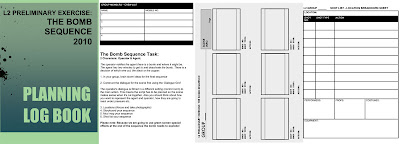
The Bomb Sequence Task


2 Characters: Operator & Agent:


The operator notifies the agent there is a bomb and where it might be.
The agent has two minutes to get to and deactivate the bomb. There is a decision of which wire cut, the black or the copper.

1. In your group, brain storm ideas for the final sequence


2. Construct the dialogue for the scene first using the ‘Dialogue Grid’

The operator's dialogue is filmed in a different setting (control room) to the main action. This means the script has to be planned so the scene makes sense when it's cut together. Also you should think about how you want to represent the agent and operator, how they are going to react under pressure etc.

3. Locations (Recce and take photographs)
4. Storyboard your sequence
5. Mud map your sequence
6. Shot list your sequence

Please note: Because we are going to use green screen special effects at the end of the sequence the bomb needs to explode!